Get onto Hollow Valley and connect the Steam account you play with.
Switch to Evrima
In Steam, right-click The Isle, open Properties → Betas (or Game Versions & Betas) and select Evrima. Let the download finish before opening the game.
Find Hollow Valley
Open the server browser, choose Unofficial Servers and search Hollow Valley. Join the Australian server on Gateway, choose a dinosaur and spawn.
Connect your Steam account
Open My Profile on the Hollow Valley website and choose Sign in with Steam. Use the same account you play with. You can link Discord from your profile too.
Park a dinosaur and return to it later. Storage preserves species, growth, mutations, Prime state, skin and diet. All players have free, unlimited storage.
Park your active dinosaur
Sign into the website with Steam and spawn on Hollow Valley.
Open Dino Storage and choose Store Current In-Game Dino. Follow the requirements shown on the page.
Wait for confirmation and check that the dinosaur appears in storage before leaving the game.
Redeem a stored dinosaur
Spawn on the server as the stored dinosaur’s species. Match its sex if the storage card asks you to.
Find the dinosaur in Dino Storage and choose Redeem when it becomes available.
Confirm the request and check your dinosaur in-game after the restore finishes. The slot is used up after a successful restore.
If an action times out or the dinosaur is missing, check Dinosaur History and contact staff before retrying.
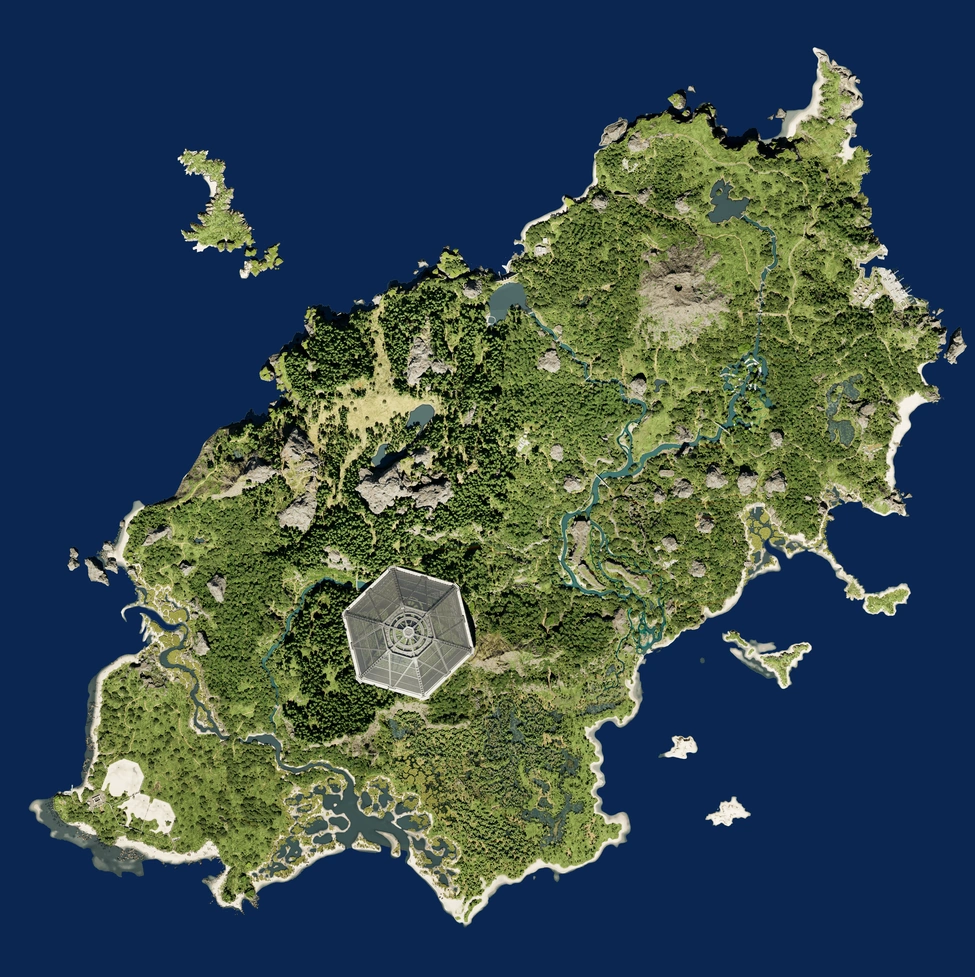
Find your dinosaur on Gateway and use map layers to plan where to go next.
Find your dinosaur
Sign in with Steam, spawn on Hollow Valley and select MY DINO on the Live Map.
Choose your layers
Start with Fresh water and Landmarks. Turn on the Gateway grid, roads, caves, sanctuaries, patrol or migration zones when useful.
Plan your next move
On desktop, hold Shift and click to drop a private target pin. Check the Prime Tracker for your tracked progress.
Gateway map overview
Live positions refresh about every five seconds while the map tab is active and tracking is available. Static map layers are available during downtime.
Pick an objective from the Quest Board and play on Hollow Valley. Verified server activity tracks progress and applies rewards automatically, even when the website is closed.
DAILY RESET
Midnight every day
Brisbane time (AEST)
WEEKLY RESET
Monday at midnight
00:00 Brisbane time (AEST)
Where do my rewards go?
Valley Coins (VC) are the server currency. Your Wallet shows your balance, verified playtime earnings and transactions. Some quests boost eligible future playtime earnings. Check your Wallet for any available daily bonus.
Meet other survivors at Fight Nights, organised activities and special community events.
USUAL EVENT TIMESaturdays · 7 pm Brisbane time (AEST)
Pick an event
Open the Events calendar for the next listing. Check its time, rules and any species or growth requirements.
RSVP and check in
Sign in with Steam and RSVP when available. Follow the event’s attendance instructions so staff can verify attendance for eligible Valley Coin rewards.
Check that Steam is running Evrima. Choose Unofficial Servers and search Hollow Valley again. The server may take a few minutes to reappear after a restart. Check server status.
My dinosaur isn’t on the Live Map
Check that you’re signed into the Steam account you play with and that your dinosaur has spawned on Hollow Valley. If tracking is unavailable, you can still use the static layers.
My dinosaur is missing from storage
Check Dinosaur History and contact staff before repeating a store or redeem action.
My Valley Coins haven’t updated
Check verified playtime and recent activity in your Wallet. Contact staff if your balance still looks wrong.